Interline Station Editor has helped transit agencies and consultants build GTFS-Pathways data for major transit hubs across North America. Now we're also bringing the core of that functionality to Transitland, so anyone can explore and inspect pathways data, wherever it exists and however it was originally created.
The GTFS-Pathways extension adds
pathways.txt and levels.txt files, as well as stops with location_type={3,4} so GTFS can represent the physical layout of a transit station.In contrast with other indoor mapping data formats, GTFS-Pathways represents a topological "skeleton" of how riders can travel through a multi-level subway, train, or bus station.
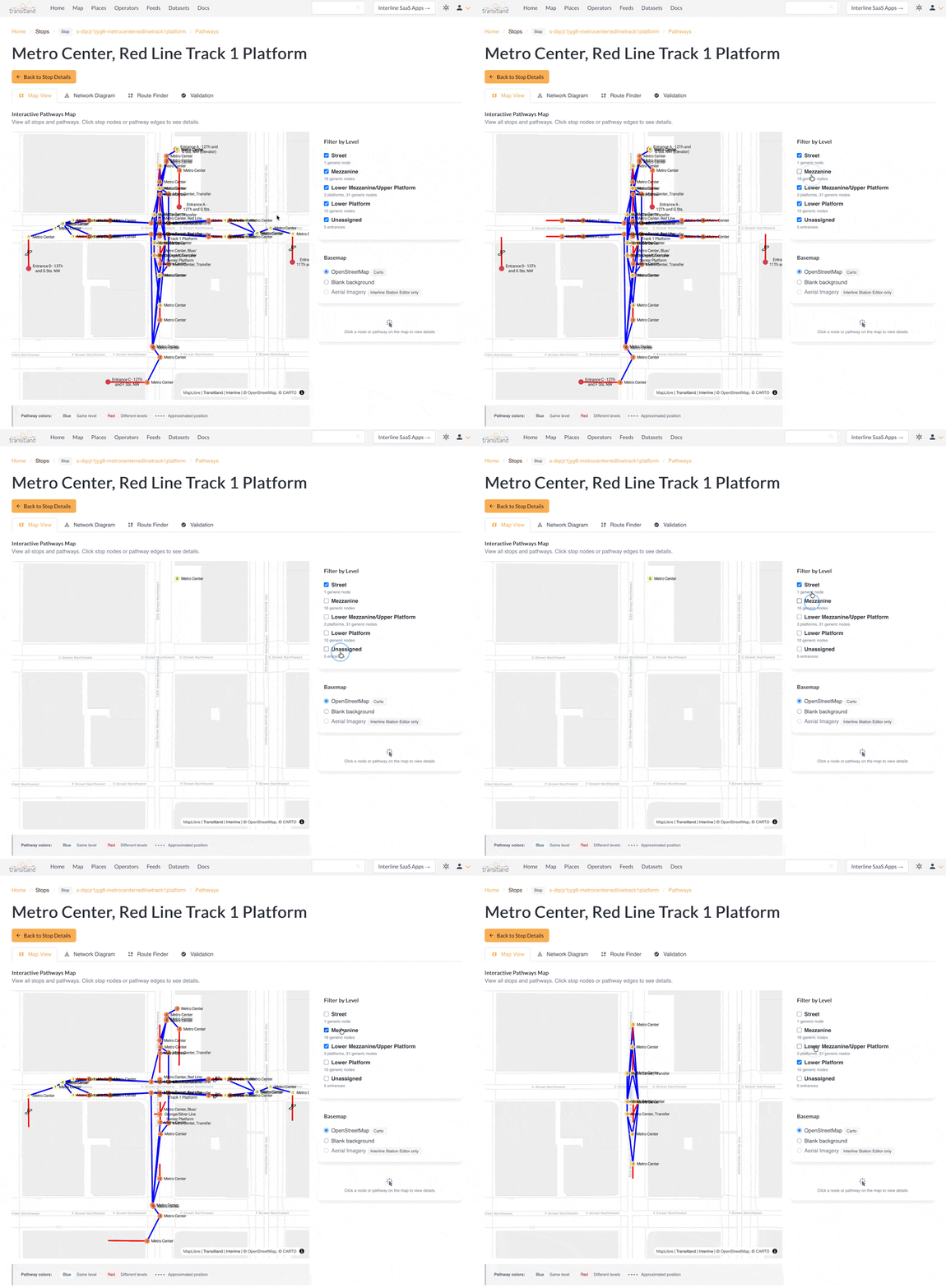
Find a pathways-enabled station in Transitland and open the Transitland Pathways Explorer to use the interactive Map View tab to view the structure of multi-level stations. For example, WMATA's Metro Center underground subway station:
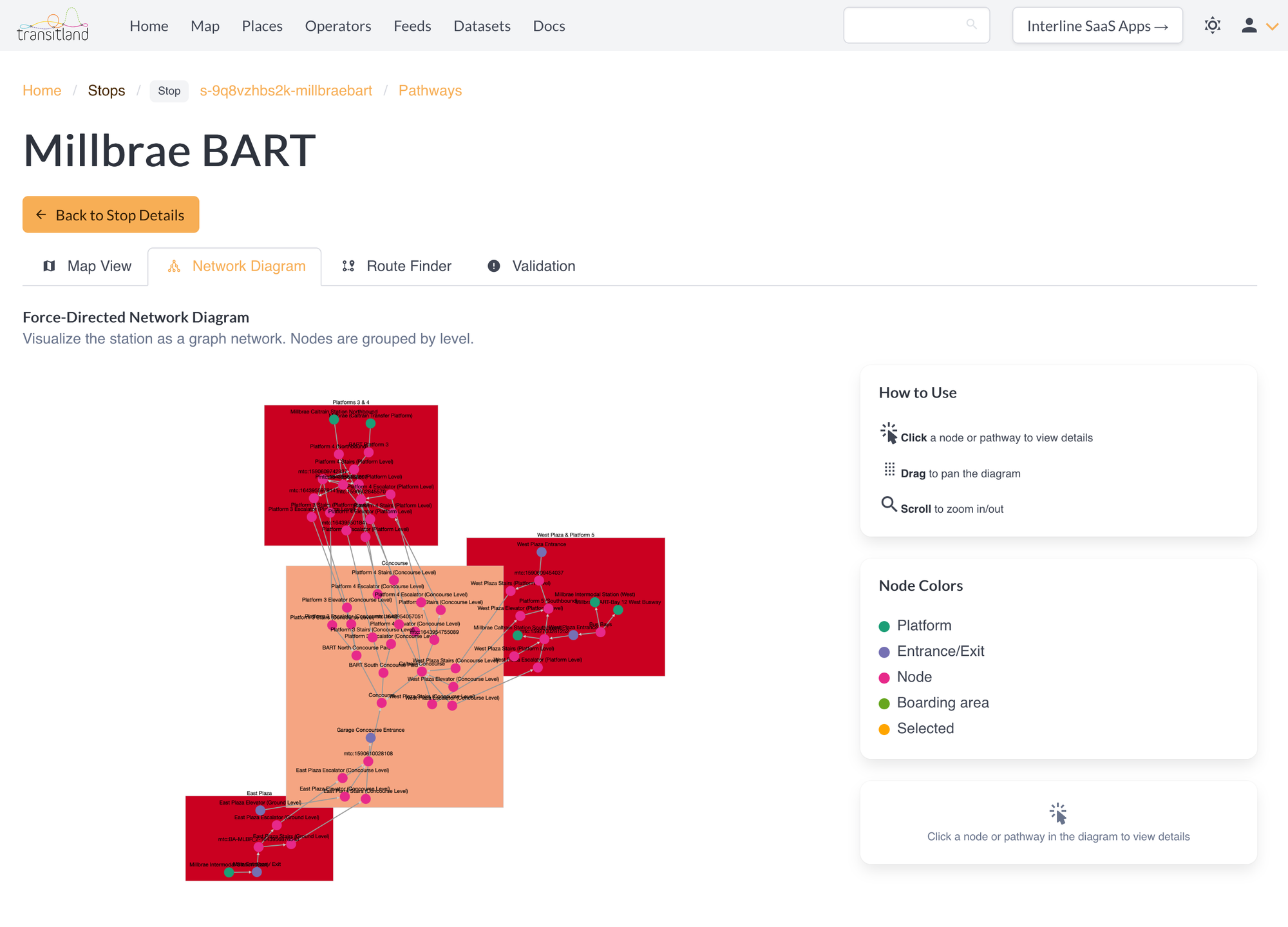
Use the Network Diagram tab to understand the topological organization of a station's levels and nodes. For example, the San Francisco Bay Area's Millbrae Intermodal Station, which is served by BART and Caltrain and bus agencies:
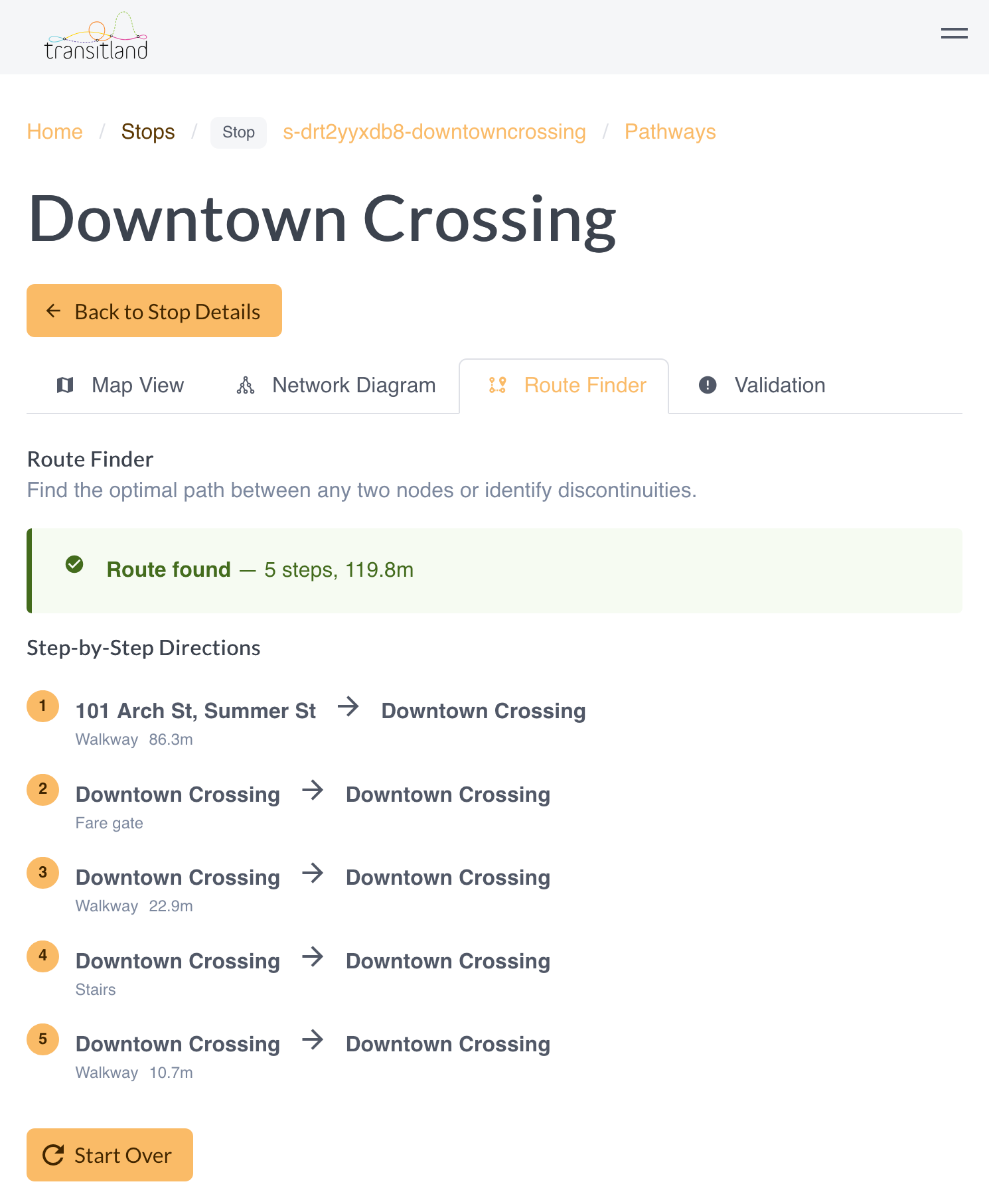
Use the Route Finder tab to test a journey through a station. For example, MBTA's Downtown Crossing underground subway station:
The Validation tab provides a high-level summary of potential issues to debug and improve within a station's GTFS-Pathways data.
To find pathways-enabled stations, use the Transitland global transit map and look for the notice that "Station pathway points are in view"
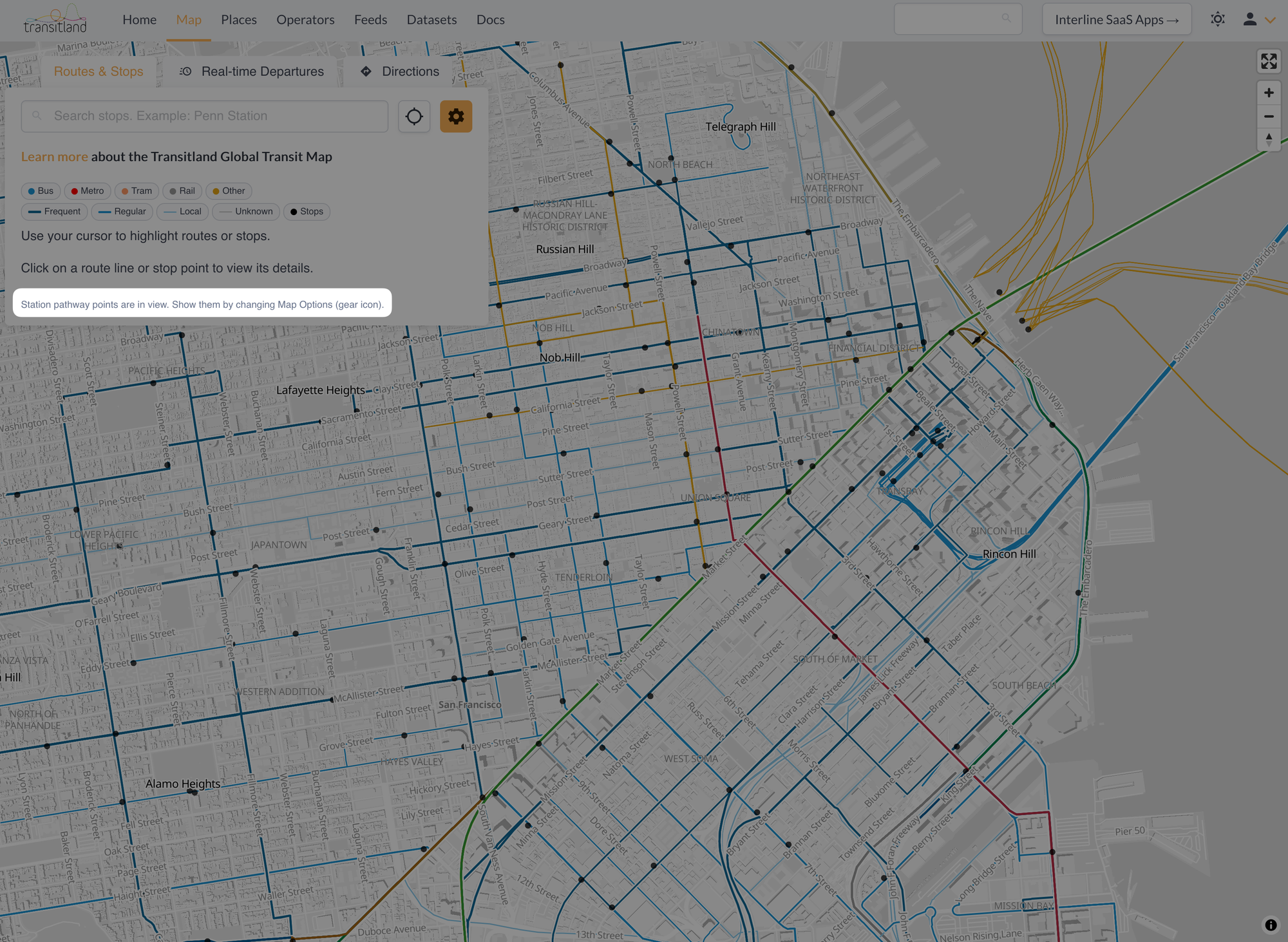
Click on (or near) a relevant stop point to view the stop details, and to then open the Transitland Pathways Explorer:
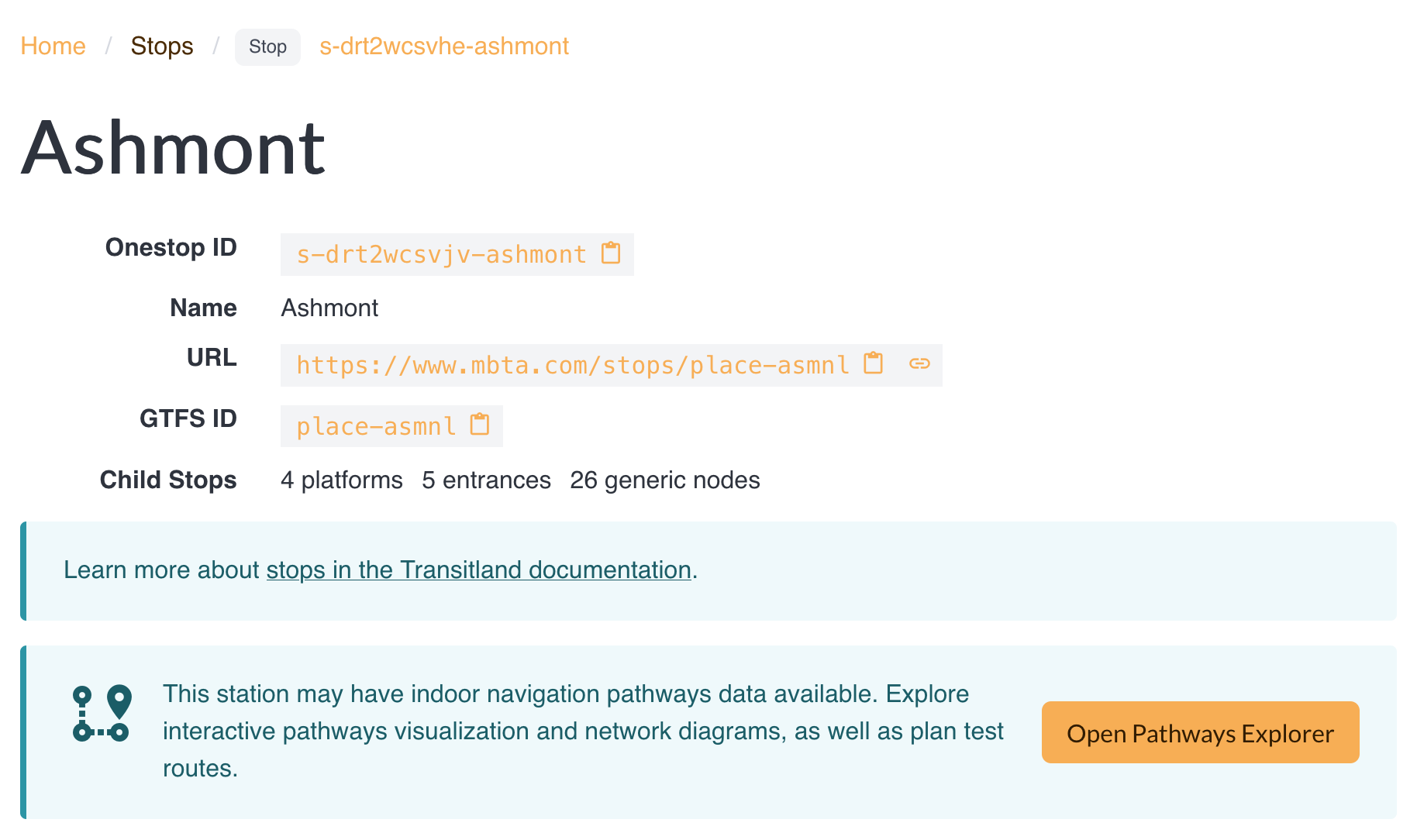
Transitland Pathways Explorer is available to all registered Transitland users, including those on the free plan.
As more transit operators publish GTFS-Pathways data in their feeds, we look forward to this functionality being even more widely useful.